
GPS Coordinates Locator Map
FirehawkMaps & Navigation
4.7244.00 Reviews
- Version
- 3.1.0
- Installs
- 10.00M
- Age Rating
- Everyone
Screenshots
Our Review of GPS Coordinates Locator Map
 Analysis by Appyee
Ever found yourself lost in the middle of nowhere, or just curious about the exact coordinates of your backyard? Well, I stumbled upon this nifty app called GPS Coordinates Locator Map, and let me tell you, it has been a game-changer!
Getting Started with GPS Coordinates Locator Map
First things first, downloading and installing GPS Coordinates Locator Map is a breeze. Whether you're on Android or iOS, just head over to your app store, search for it, and hit that download button. In a couple of minutes, you’re all set to go. The interface is clean and intuitive, so you don’t have to be a tech wizard to navigate through it.
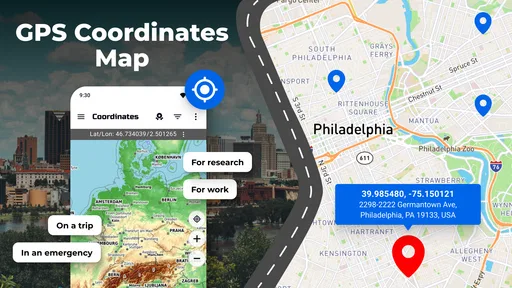
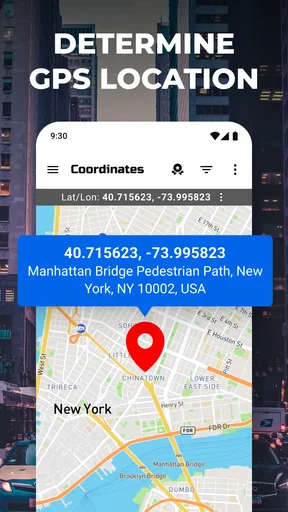
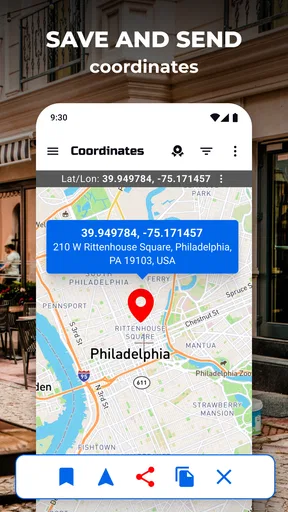
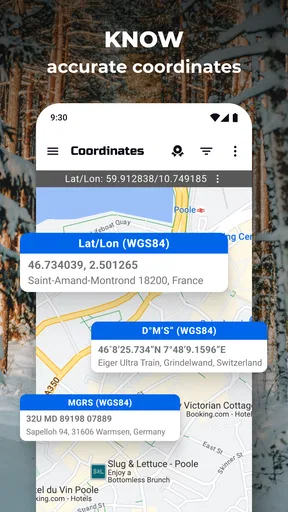
Once you open the app, it immediately pinpoints your location with a little blue dot on the map. It’s like magic! You can zoom in and out to get a better view of the area. The app provides your current latitude and longitude at the top of the screen, and you can even copy these coordinates to share with friends or plug into another app.
Exploring the Features
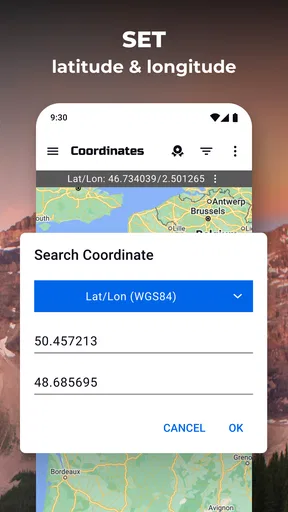
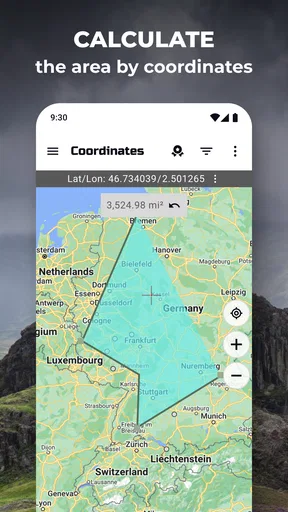
The app isn’t just about finding your current location. You can search for any place and get its coordinates. Planning a hike or a road trip? Use this app to mark waypoints and ensure you’re always on track. I found the search bar super responsive; type in a location, and voila, it’s right there on the map with its coordinates.
Another neat feature is the ability to switch between different map views. You’ve got your standard map, satellite view, and even a hybrid option. Personally, I love the satellite view when I'm trying to get a sense of the terrain. It’s like having Google Earth in your pocket!
Practical Uses and My Experience
So, how practical is this app in everyday life? Very, if you ask me. I used it last weekend while on a camping trip. We were off the beaten path, and cell service was spotty at best. But with the app, I was able to save our campsite’s coordinates. This feature gave me peace of mind knowing I could always find my way back after exploring.
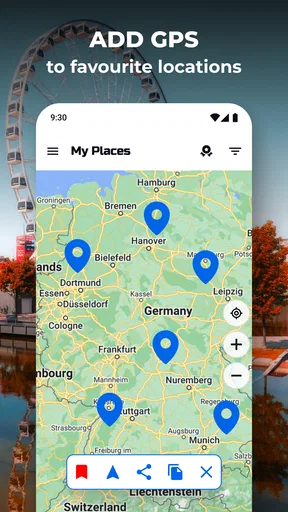
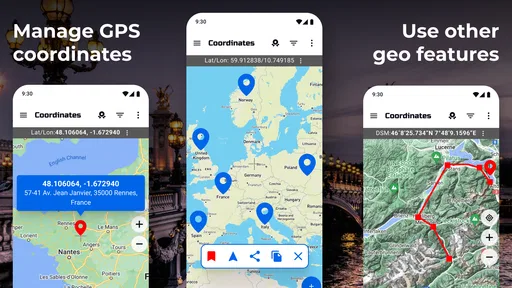
Moreover, you can save multiple locations. I’ve started using it to bookmark my favorite spots. There's something satisfying about knowing the exact coordinates of a secret fishing spot or a secluded picnic area.
User Experience and Design
The user experience is quite seamless. The app doesn't bombard you with ads, which is a huge plus. I hate when I’m trying to get directions, and an ad pops up asking me to play the latest trendy game. The design is minimalist, focusing on functionality over flashy animations.
Navigation through the app is straightforward. The developers clearly prioritized user experience, making it accessible for anyone, regardless of their tech savviness. The settings menu allows you to customize units of measurement, which is handy for those who prefer metric over imperial or vice versa.
The Verdict
All in all, GPS Coordinates Locator Map is a must-have for anyone who loves exploring or just wants to have a handy tool for navigation. It’s simple yet packed with features that make it useful for everyday adventures as well as more serious navigation tasks.
Whether you’re an outdoor enthusiast, a traveler, or just someone who loves having the world at their fingertips, this app is definitely worth checking out. So, why not give it a try? You might just find it as indispensable as I do!
Verdict
Strengths of GPS Coordinates Locator Map
- Highly accurate location data
- User-friendly interface
- Offline map availability
- Customizable settings
- Real-time location sharing
Limitations of GPS Coordinates Locator Map
- Consumes significant battery power
- Requires GPS access permission
- Limited free features
- Occasional map loading delays
- Ads can be intrusive
Other Releases by Firehawk
View All
Piano: Learn & Play Songs
Music & Audio4.8

Transparent Wallpaper
Personalization4.5

Battery Charging Animation
Personalization4.6

Video Voice Editor + Effects
Music & Audio4.5
Similar Picks in This Category
View All
Uber - Request a ride
Uber Technologies, Inc.4.7


inDrive. Rides with fair fares
® SUOL INNOVATIONS LTD4.8

Yandex Go: Taxi Food Delivery
Mikromobilnost LLC Belgrade4.8

Bolt: Request a Ride
Bolt Technology4.8

Rapido: Bike-Taxi, Auto & Cabs
Rapido Bike Taxi4.8
You May Also Like
View All

Frequently Asked Questions
What features does the GPS Coordinates Locator Map offer?
The GPS Coordinates Locator Map provides real-time location tracking, detailed maps, and the ability to share your coordinates with others. It also offers offline map access, route planning, and a user-friendly interface tailored for both casual users and professionals who need precise geolocation data.
Is the GPS Coordinates Locator Map available for both Android and iOS devices?
Yes, the GPS Coordinates Locator Map is available for both Android and iOS platforms. You can download it from the Google Play Store or the Apple App Store, ensuring compatibility across a broad range of devices and operating systems.
Does the app require an internet connection to function?
While the GPS Coordinates Locator Map works best with an active internet connection for real-time updates, it also offers offline capabilities. You can download maps for later use, which allows the app to function effectively even without access to the internet.
How accurate is the GPS data provided by the app?
The GPS Coordinates Locator Map uses advanced technology to offer highly accurate location data. The accuracy can vary based on environmental factors, such as buildings or natural obstacles, but generally, it provides precise coordinates suitable for navigation and geolocation tasks.
Are there any subscription fees or in-app purchases?
The app offers a free version with basic features, but there are also premium options available. These may include enhanced features like ad removal, advanced navigation tools, and additional map downloads, accessible through one-time purchases or subscription plans.
